
Connect your Hikvision terminals to HR360
Face recognition, fingerprint and card swipe attendance flows straight into HR360 in real time. No USB exports, no spreadsheets, no re-typing.
Included in: Starter · Ultimate · Premium
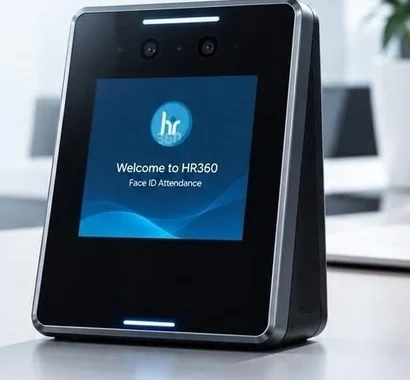
Many organizations already have biometric machines on the wall, but the data stays trapped in them. Someone exports a file at the end of the month, cleans it up and types it into payroll, and mistakes creep in at every step.
HR360 connects directly to your Hikvision face, fingerprint and card terminals. Each punch reaches HR360 in real time and becomes part of the same attendance record as mobile check-ins, so timesheets, leave balances and payroll are always up to date.
What you can do
Hikvision biometric sync in HR360
Face, fingerprint and card
Works with Hikvision face recognition, fingerprint and card swipe attendance terminals.
Real-time sync
Punches appear in HR360 as they happen, not at the end of the month.
Terminals and mobile together
Use terminals at head office and GPS check-in for field staff, all in one dashboard.
Multiple branches
Connect devices across all your locations and see every branch in one place.
Set up by our team
We handle the connection between your devices and HR360 as part of your setup.
Included on every plan
Terminal integration comes with Starter, Ultimate and Premium at no extra charge.
How it works
Up and running in three steps
Tell us about your devices
Share which Hikvision terminals you use and where they are installed.
We connect them
Our team links your devices to your HR360 account and tests the sync with you.
Punches flow in live
Every face, finger or card punch lands in HR360 and feeds timesheets and payroll.
Hikvision biometric sync: common questions
More answers in our FAQ.
Which devices does HR360 integrate with?
HR360 integrates with Hikvision face recognition, fingerprint and card swipe terminals. If you use another brand, tell us during your demo.
Do I need to buy new devices?
No. HR360 connects to the Hikvision terminals you already have. If you have no devices, staff can use the HR360 mobile app instead.
Is the Hikvision integration an extra cost?
No. Hikvision terminal integration is included on every HR360 plan.
Can we use terminals and the mobile app at the same time?
Yes. Many teams use terminals in the office and GPS check-in for field staff. All attendance appears in one dashboard.
See HR360 with your own setup
A 30-minute walkthrough built around your branches, shifts and devices.