
Timesheets that fill themselves in
Every check-in becomes a timesheet entry automatically, with leave and public holidays already accounted for. No more chasing staff for hours at month end.
Included in: Starter · Ultimate · Premium
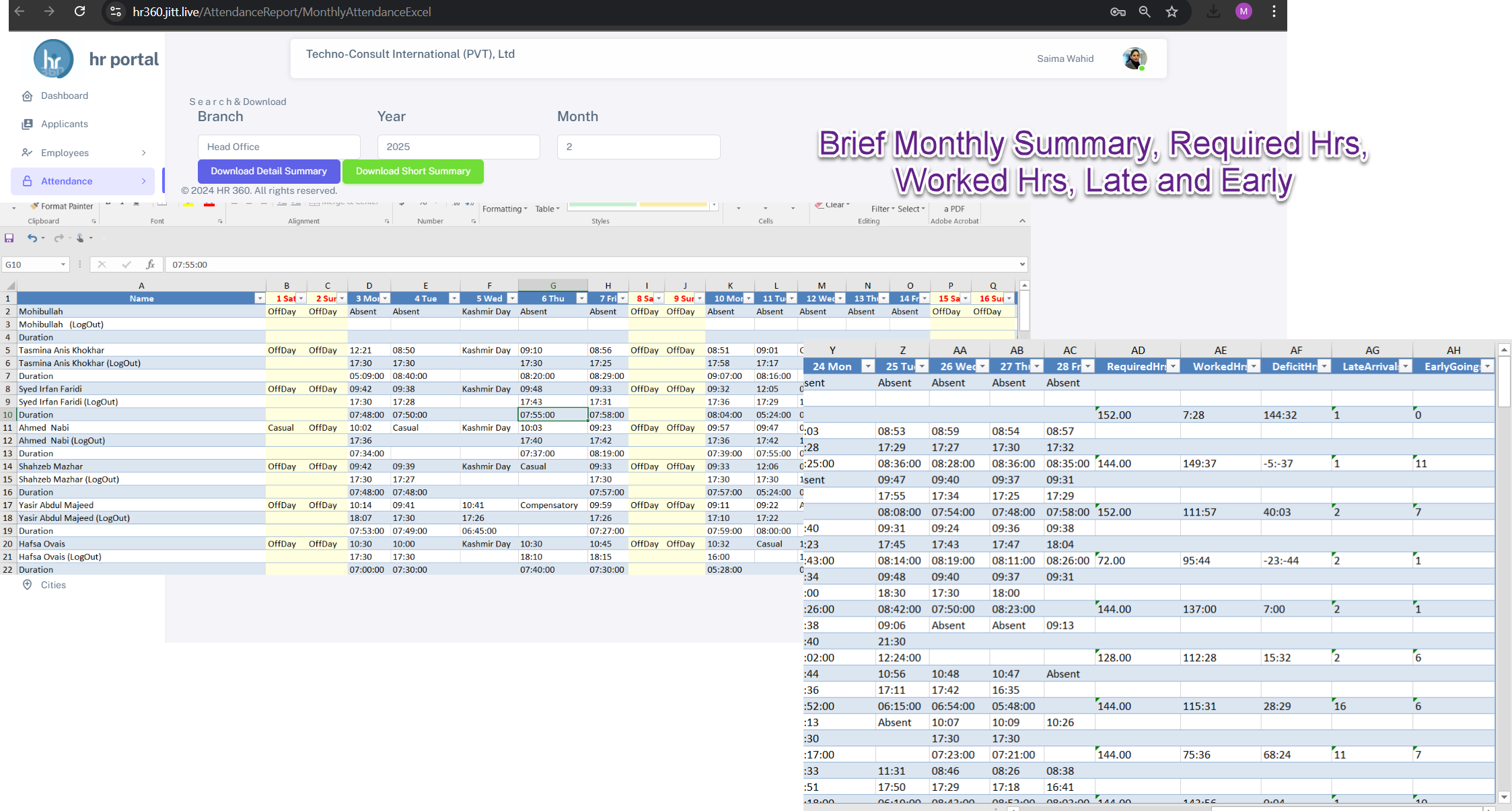
Manual timesheets are slow to collect and easy to get wrong. HR360 builds them from real attendance data, so the hours you pay for are the hours that were worked.
Required hours and worked hours are calculated for every employee, leave and public holidays are included automatically, and staff can view their own timesheets on their phone.
What you can do
Timesheets in HR360
Attendance to timesheet
Real-time conversion of every check-in and check-out into timesheet entries.
Leave and public holidays
Approved leave and public holidays are reflected automatically.
Required vs worked hours
See required hours and worked hours side by side for every employee.
Timesheets on mobile
Employees view and submit their timesheets from the HR360 app.
Export to PDF and Excel
Download any timesheet for payroll, clients or audits.
Bi-weekly timesheet emails
Each employee can receive their timesheet by email automatically.
How it works
Up and running in three steps
Staff clock in
By mobile app or Hikvision terminal, from approved locations.
Hours are calculated
HR360 works out worked hours against required hours, including leave and holidays.
Export or run payroll
Download timesheets or send them straight into payroll.
Timesheets: common questions
More answers in our FAQ.
Can employees see their own timesheets?
Yes. Employees can view their timesheets in the HR360 mobile app and can receive them by email.
Can I export timesheets?
Yes. Timesheets can be exported to PDF and Excel at any time.
Are public holidays included?
Yes. Leave and public holidays are integrated into timesheets automatically.
See HR360 with your own setup
A 30-minute walkthrough built around your branches, shifts and devices.