
Attendance reports and HR analytics
See who is in, who is late and who is absent across every branch, and have the reports you need emailed to you automatically.
Included in: Starter · Ultimate · Premium
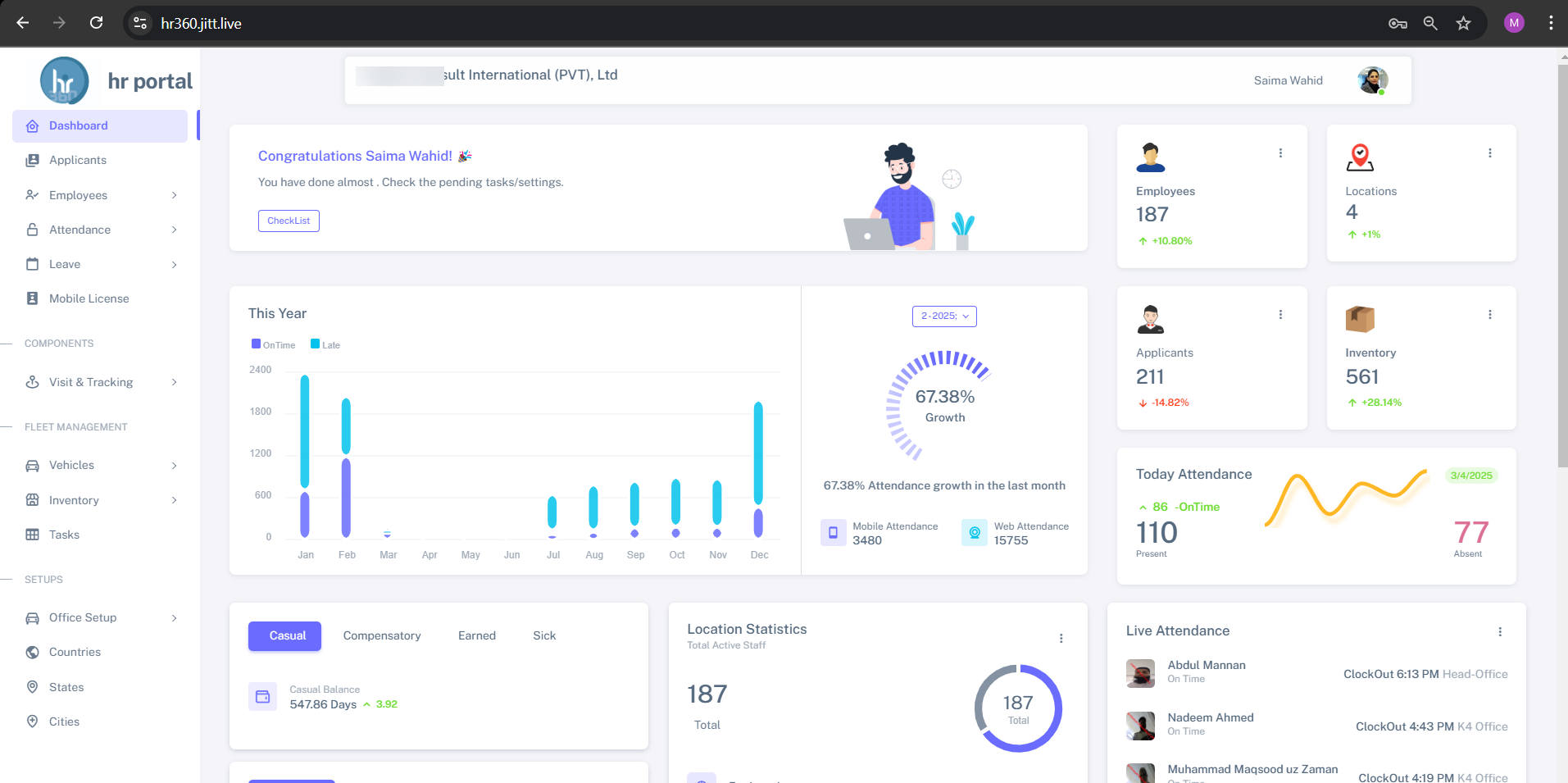
Good decisions need numbers you trust. Because HR360 captures attendance at the source, by GPS check-in or biometric terminal, its reports reflect what actually happened.
Use ready-made daily, weekly and monthly reports, build your own, break results down by location or employee, and export or schedule them by email.
What you can do
Reports & analytics in HR360
Daily to monthly reports
Daily, weekly and monthly attendance reports out of the box.
Absent reports
See absences at a glance for every location.
Custom report builder
Build the reports your organization needs.
Location and employee analytics
Break results down by branch or by person.
Export anywhere
Export reports to PDF, Excel and CSV.
Scheduled email reports
Have reports emailed to managers automatically.
How it works
Up and running in three steps
Capture attendance
From mobile check-ins and Hikvision terminals.
Choose your report
Use a ready-made report or build your own.
Share it
Export to PDF, Excel or CSV, or schedule it by email.
Reports & analytics: common questions
More answers in our FAQ.
Can reports be emailed automatically?
Yes. You can schedule reports to be emailed automatically.
What formats can I export?
PDF, Excel and CSV.
Can I see attendance by branch?
Yes. Location-wise and employee-wise analytics are built in.
See HR360 with your own setup
A 30-minute walkthrough built around your branches, shifts and devices.